

If it's going to English either it's not fully translated or the fallback is English.
Published 3 months ago
Ive Translated it completely, The Settings and all Buttons in the Context Settings are in German. Only The Editor in The Discussions and Replys are in english. And only the Editor all Other Elements of the Page are German.
Published 3 months ago
It always uses the Text from the plugin.json not the Language files. In the Language Fille The Variables are button_bold for example in the plugin.json only bold.
Published 3 months ago
Will the Translations work at a time in the Future.
The Translations still work only in the Configuration. But not the Forums and Messages.
The Tooltips are allways in english.
Thanks,

Limitation Acknowledged:
While I've significantly improved the translation support for the admin configuration interface, there's a fundamental limitation with EasyMDE itself:
- EasyMDE's toolbar tooltips are hardcoded to English because the library doesn't provide built-in translation support
- The actual editor interface will still show English tooltips (Bold, Italic, etc.)
- This is a limitation of the EasyMDE library itself, not the plugin
However, the most important improvement is in the admin configuration interface where users now see the interface elements in their preferred language, making it much easier to configure the toolbar settings.
I'm looking at what I can do as an alternative...
Edited on Jan 17, 2026 By Fred .
I have found a solution!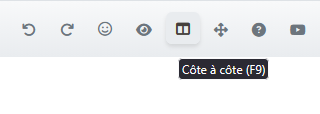
If you want, you can try it before I integrate it into the next version of Flatboard.
https://flatboard.org/uploads/resources/EasyMDE.zip
Edited on Jan 17, 2026 By Fred .
Published 2 months ago
No Translation works at all in this, Only the emoji Icon hows up. Only deleting the Language Files make them appear. But only in French.
Thanks.
Ok try the new archive please.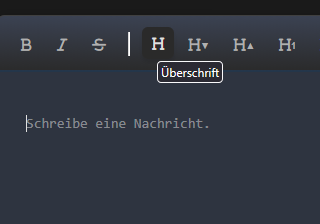
Published 2 months ago
I´ve tried it out and it works, Thanks.
Could it be that this was the same as it is for the Modus Switch right to the Profile (Light, Dark, Auto)?
Fixed!
- Like(1)
 JPRuehmann
This discussion is locked
Report
Navigation
11 Posts Statistics